
Settings
Guide section
Settings
Settings overview
Map of all six settings tabs and where to find every feature.
Almost every option lives under Settings (gear tab). Settings is split into six tabs so you can find account, money, and data tools quickly.
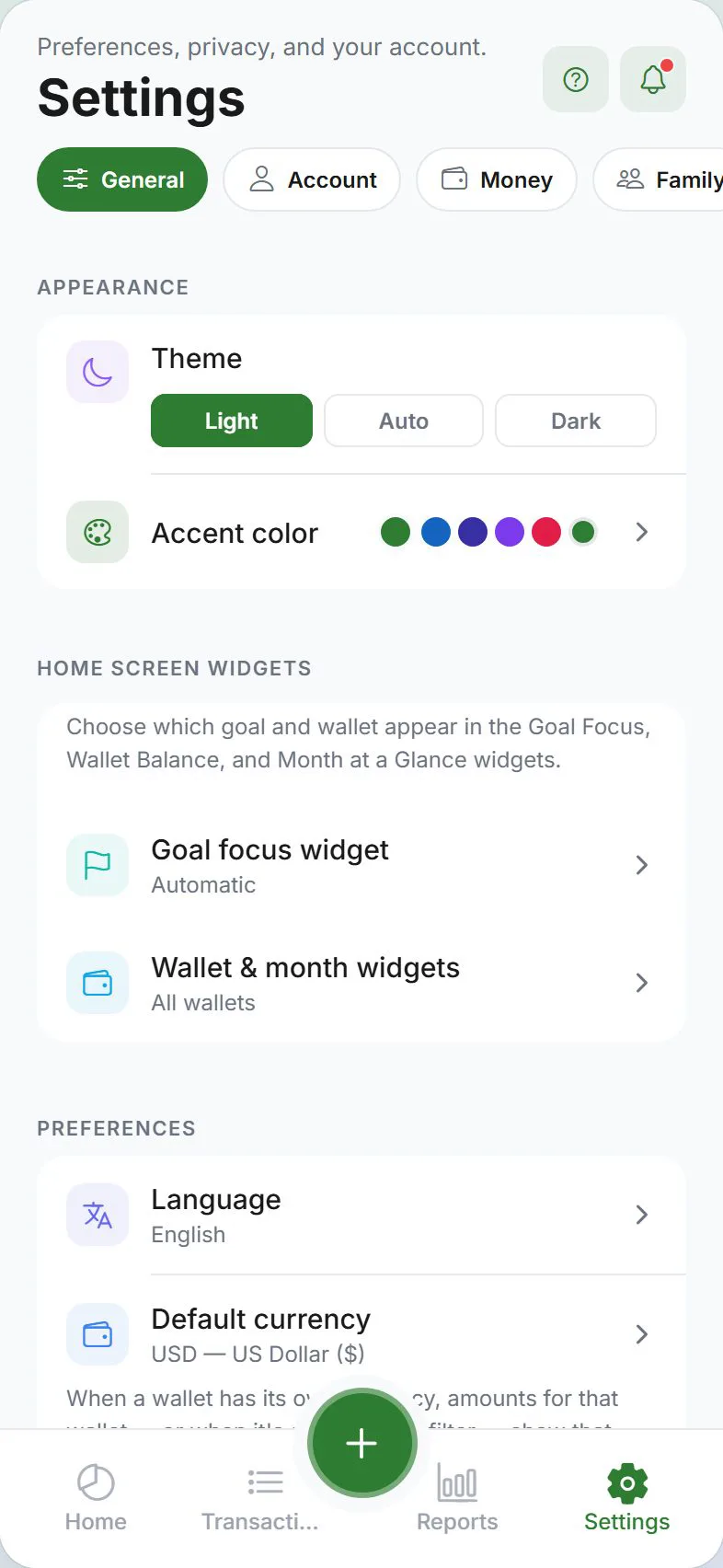
The six tabs
| Tab | What you will find |
|---|---|
| General | Updates, appearance, home screen widgets, language, currency, categories, tags, payment methods, opening balances, about |
| Account | Sign in, cloud sync, security (PIN), privacy, encryption — Account tab guide |
| Money | Wallets, budgets, scheduled entries, goals, wishlist — Money tab guide |
| Family | Buddies & splits, split groups, households |
| Alerts | Budget, bills, goals, household, buddy invites, shopping place reminders, weekly/monthly recap — see All notifications |
| Data | Export, import, cloud backup, reset — Data tab guide |
General tab
| Section | Links |
|---|---|
| App update | Update now when a new version is available |
| Appearance | Light / dark / auto theme, accent color, haptics (phone) |
| Home screen widgets | Choose goal for Goal Focus widget; choose wallet(s) for Wallet Balance and Month at a glance — see Widgets & shortcuts |
| Preferences | Language, currency, clipboard, categories, payment methods, tags, opening balances, no-spend streak |
| About | Version, user guide, privacy policy, terms, cookies |
Account tab
| Section | Links |
|---|---|
| Account | Sign in/out, cloud sync, buddy invite code (TRAIL-), sync now, delete account |
| Security | App lock, biometrics, PIN timeout |
| Privacy | Tier overview, privacy checkup, stealth, screenshot block, encryption, unlock & escrow, LAN sync |
Money tab
| Section | Links |
|---|---|
| Wallets (expand) | Wallets guide |
| Budgets (expand) | Budgets guide |
| Scheduled entries | Scheduled entries |
| Goals | Savings goals |
| Purchase wishlist | 48-hour cooling-off |
Family tab
| Section | Links |
|---|---|
| Buddies & splits (expand) | Split expenses, Split groups, Buddies & split contacts |
| Household | Households guide |
Alerts tab
| Section | Links |
|---|---|
| Notifications | All notifications, Alerts settings |
| Shopping place reminders | Geofence reminders (phone only) |
Data tab
| Section | Links |
|---|---|
| Storage targets | Attachment and backup destinations (connections set up under Account) — Storage connections, Cloud backup |
| Export / import | Backup & export, Import |
| Reset app | Reset guide |
Deep links (open a specific section)
Some links open Settings directly to a section — useful from emails, widgets, or help articles:
| Focus | Opens |
|---|---|
| Account | Account tab |
| Privacy / Security / Storage | Account tab |
| Preferences / Widgets | General tab |
| Wallets / Budgets / Scheduled / Goals | Money tab |
| Buddies / Household | Family tab |
| Notifications / Geofence | Alerts tab |
Example URL pattern (web): ?focus=buddies on the settings route.
Search on wide screens
On tablets or desktop web, Settings may show search to jump to a section by name.
Tab deep dives
Related guides
Was this guide helpful?