
Guide section
Family & sharing
Buddies
Connect with friends on Expense Trail for split bills, split groups, and household invites.
Buddies are people you connect with on Expense Trail using a permanent TRAIL- invite code or QR. Buddies can be added to split bills, saved in split groups, and invited into households.
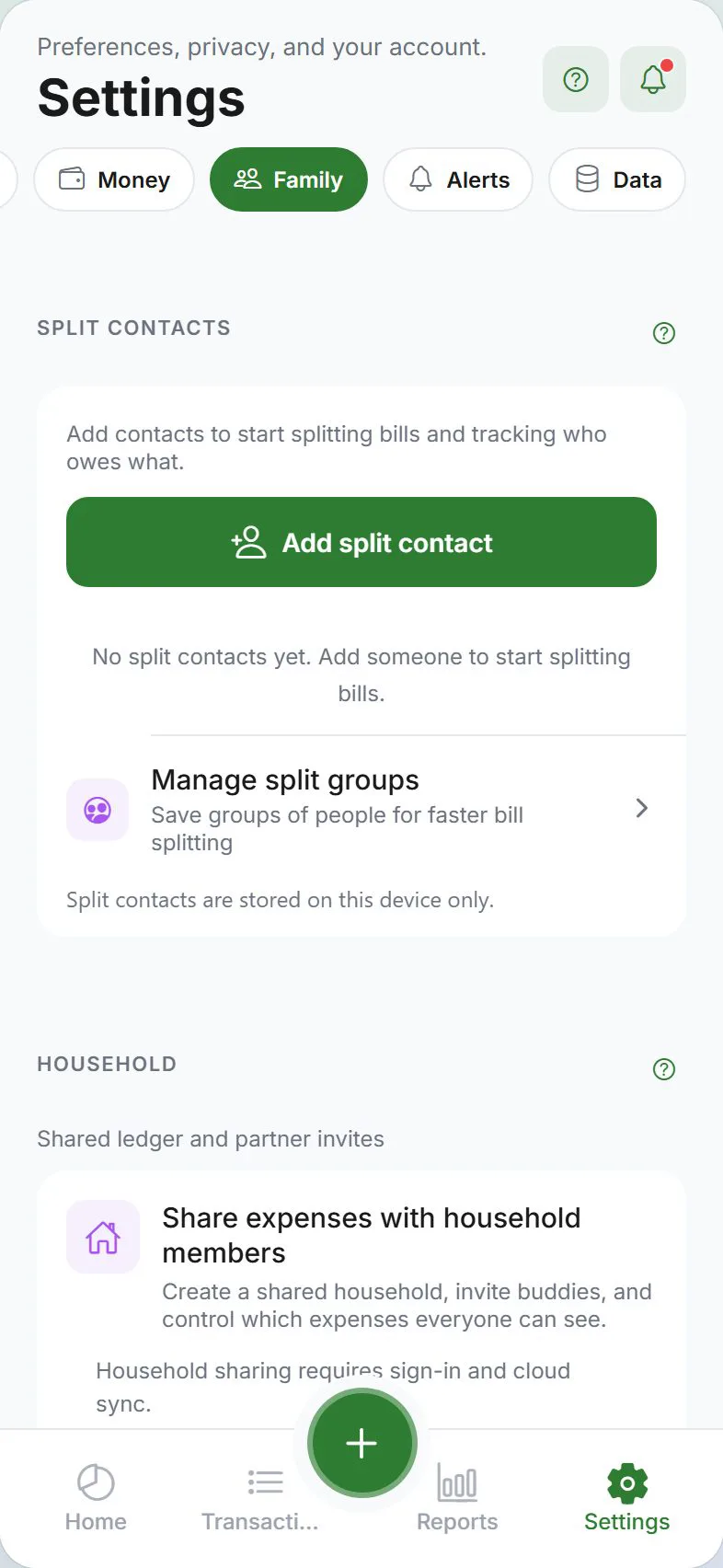
Where to find Buddies & splits
Settings → Family → Buddies & splits (expand the section)
Here you manage cloud buddies, local split contacts, balances, settle up, and split groups.
Requirements (cloud buddies)
- Sign in with Google or Apple
- Turn Cloud sync on under Settings → Account
Local split contacts work without sign-in.
Your invite code
Settings → Account shows your TRAIL- code and QR. Tap Invite buddy to share a message with your code and link.
Share your code only with people you trust. Anyone with the code can send you a buddy request. Decline unwanted requests under Settings → Family → Buddies & splits — do not post your code on public forums or group chats.
Add a cloud buddy
Settings → Family → Buddies & splits → Add buddy
| Method | Steps |
|---|---|
| Enter code | Type their TRAIL- code and send a request |
| Invite buddy | Share your code via any app |
| Scan QR | Scan their invite QR from the Buddies screen |
They accept the request when signed in. Pending invites appear in the Buddies list.
Local split contacts
Add local-only names (no account) for offline splits:
- Settings → Family → Buddies & splits
- Tap Add split contact
- Enter a display name — the app creates a split wallet for IOU tracking
Local contacts never leave your device unless you later link them to a cloud buddy.
Split groups
Save groups of contacts for one-tap selection when splitting — for example Roommates or Trip crew. See the full guide: Split groups.
View balances and settle up
The Buddies section shows who owes you and whom you owe. Tap Settle up on a contact when someone repays you in cash or transfer. Details: Split expenses.
Households
After you are buddies, a household owner can invite you from Settings → Family → Household → Invite buddy. There is no public household link — only accepted buddies can be invited.
Related guides
Was this guide helpful?