
Guide section
Data & backups
Cloud backup
Schedule automatic encrypted backups to Google Drive, Dropbox, WebDAV, or iCloud.
Cloud backup uploads an encrypted copy of your data on a schedule — separate from everyday cloud sync, which keeps the app up to date across devices.
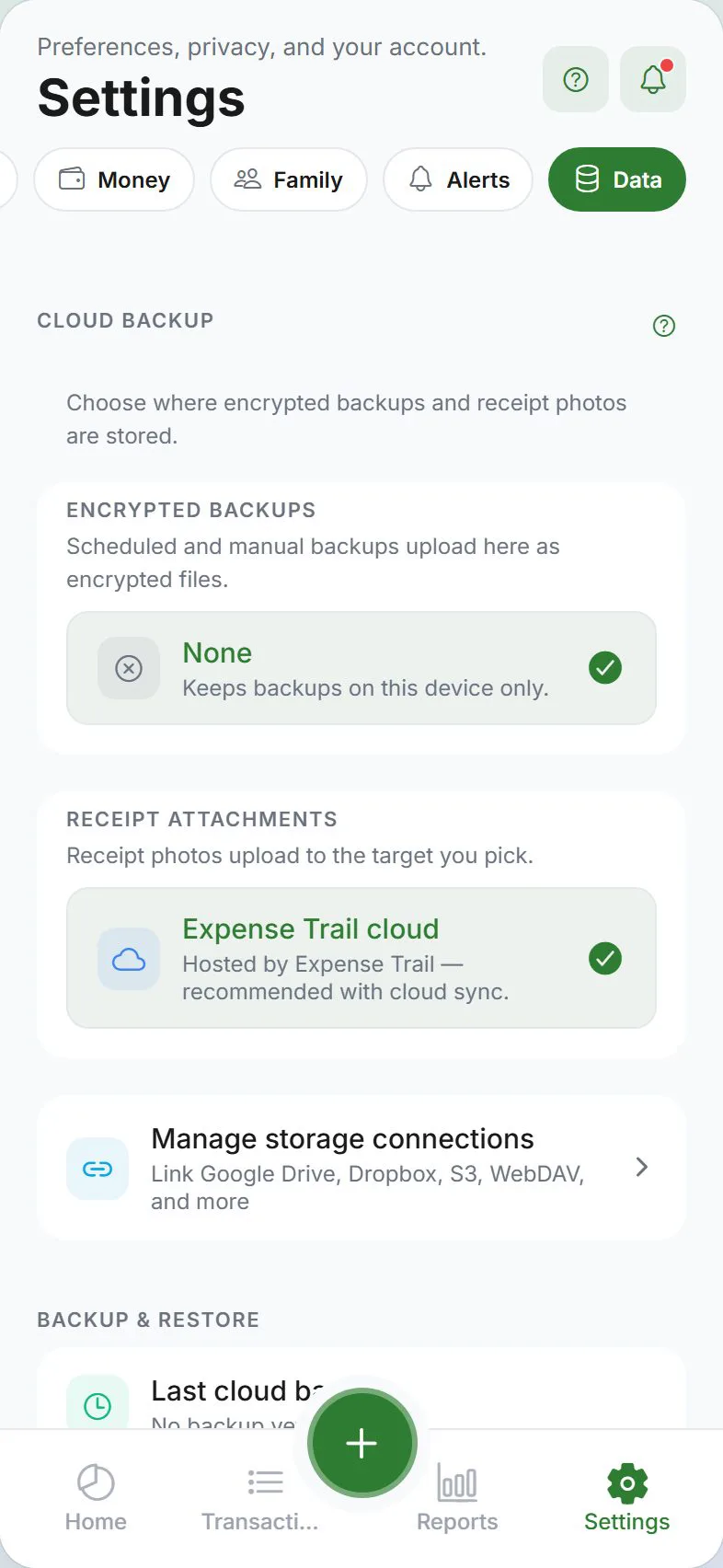
Where to find it
Settings → Data → Cloud backup
Link Google Drive, Dropbox, WebDAV, or iCloud under Settings → Account → Storage connections first, then pick the backup target here.
You may need to be signed in depending on the destination.
Choose a destination
| Provider | Notes |
|---|---|
| Google Drive | Connect your Google account in the app |
| Dropbox | Connect Dropbox when offered |
| WebDAV | Your own server — enter URL, folder, username, and password (stored only on this device) |
| iCloud Drive | iPhone and iPad only — tap Back up now and use the share sheet to save to iCloud |
iCloud uses manual share each time — automatic daily/weekly schedule is not available for iCloud. Use Google Drive, Dropbox, or WebDAV for scheduled backups.
Set up WebDAV
- Settings → Data → Cloud backup
- Choose WebDAV
- Enter Server URL, Remote folder, Username, and Password
- Save — credentials stay on your device only
Useful for Nextcloud, ownCloud, or home NAS WebDAV folders.
Recovery phrase (encrypted automatic backups)
Scheduled cloud backups may use strong encryption with a recovery phrase (similar to end-to-end encryption). Save this phrase safely — you need it to restore if you lose your phone.
Schedule
| Option | Meaning |
|---|---|
| Off | Manual backups only |
| Daily | Upload once per day when conditions are met |
| Weekly | Upload once per week |
Scheduled backups need network access and valid provider connection.
Back up now
Tap Back up now for an immediate upload without waiting for the schedule.
Restore from cloud backup
Cloud backup files are meant to be restored through Import or provider-specific restore flows in Settings → Data. You may need your backup password or recovery phrase.
See Import data.
After you switch accounts
Cloud backup uses per-provider sign-in on this device (Google Drive, Dropbox, etc.). If you sign in as a different account on the same install, previously linked backup providers are disconnected on the device — link them again under Settings → Account → Storage connections, then pick your backup target in Settings → Data.
Cloud backup vs cloud sync
| Cloud sync | Cloud backup | |
|---|---|---|
| Purpose | Live data on all devices | Point-in-time file for disaster recovery |
| When | Continuous when app is open | Scheduled or manual |
| Format | Server database | Encrypted file on Drive/Dropbox/etc. |
Use both for best protection: sync for daily use, backup for “worst case” recovery.
Related guides
Was this guide helpful?