
Guide section
Privacy & security
Privacy overview
How Expense Trail keeps your money data private — on device, in the cloud, and on your lock screen.
Expense Trail is built so you control how much leaves your phone. You can use it entirely offline, or add sync, encryption, and sharing only when you want them.
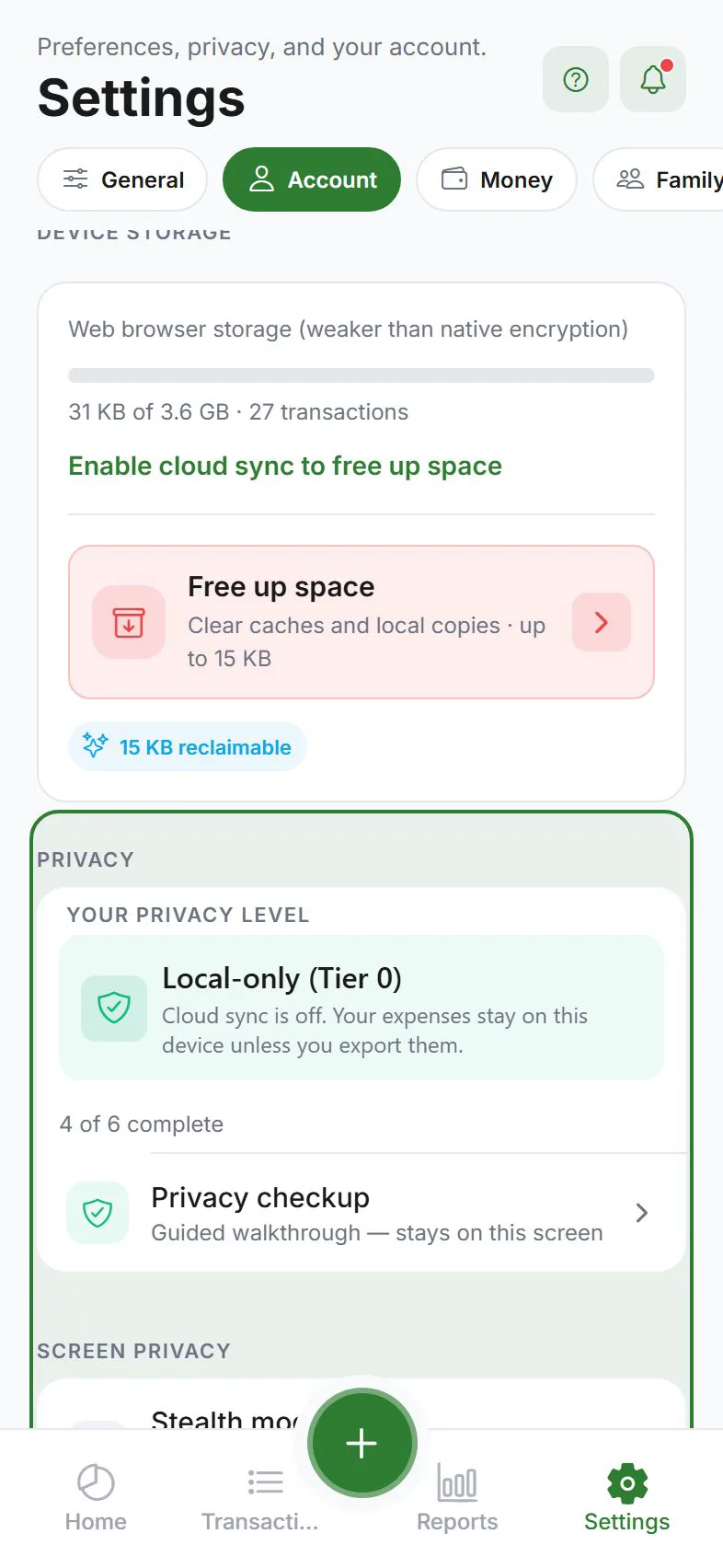
Privacy levels (simple view)
| Level | What you do | Who can read your amounts |
|---|---|---|
| Local only | No sign-in, no cloud sync | Only you, on this device |
| Cloud sync | Sign in + sync on | You, plus Expense Trail servers (for sync and features) |
| End-to-end encrypted sync | Sync + encryption on | Only your devices (server sees encrypted blobs) |
| Household | Join a household | You + members, for shared entries only |
Where to manage privacy
Settings → Account → Privacy
You will also see a Privacy check shortcut on the Dashboard when recommendations are pending.
Run the full Privacy setup wizard anytime.
Key features
| Feature | What it does | Guide |
|---|---|---|
| Stealth mode | Hides amounts until you press and hold | Stealth mode |
| Screenshot block | Blocks screenshots and screen recording while the app is open (native apps) | Privacy section in Settings |
| App lock | PIN or fingerprint to open the app | App lock |
| Encryption | Scrambles cloud data so the server cannot read it | Encryption |
| LAN sync | Copy data between two devices on home Wi‑Fi | LAN sync |
| Push privacy | Generic lock-screen alerts without amounts | Alerts |
On-device storage
| Platform | Storage strength |
|---|---|
| iPhone / Android (store app) | Encrypted database on device |
| Web browser | Weaker than phone app — prefer native app for sensitive use |
| Development builds | May use standard storage — use store release for best protection |
The privacy checkup explains your current storage type in plain language.
Consent and analytics
On first launch you may see choices for essential, analytics, and marketing cookies/telemetry. Change later from Settings → General → About → Cookie preferences.
Household trust
Shared expenses are visible to household members by design. Only join households with people you trust. Keep sensitive purchases Private if needed.
Marketing site policy
Full legal text: expensetrail.app/privacy
Related guides
Was this guide helpful?