
Guide section
Family & sharing
Split groups
Save named groups of split contacts — like Roommates or Trip — and pick everyone at once when splitting a bill.
Split groups are saved lists of Buddies & split contacts. Instead of tapping the same people every time you split dinner or rent, pick a group like Roommates or Weekend trip and everyone is selected in one tap.
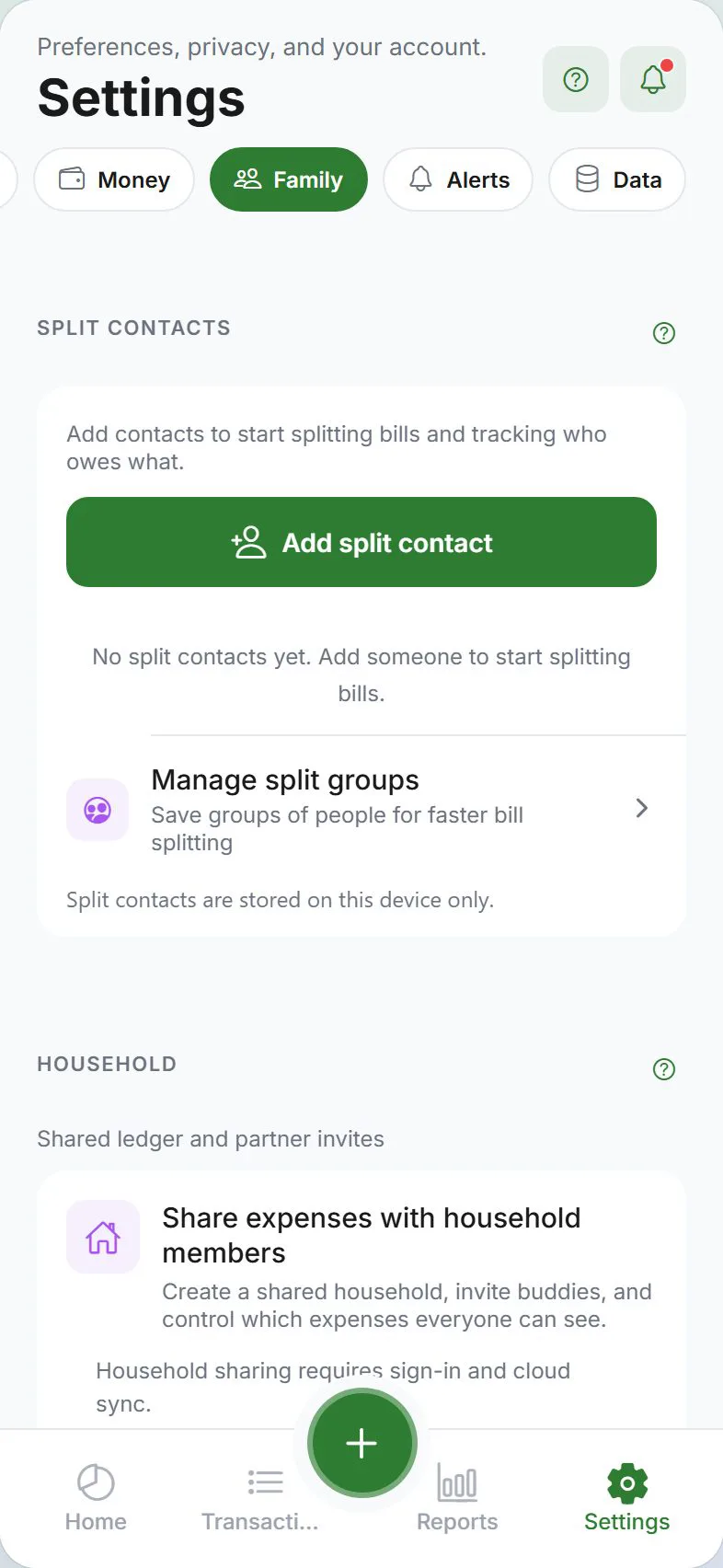
Where to manage groups
Settings → Family → Buddies & splits → Manage split groups
You can also open Manage split groups from the split bill section when adding an expense.
Create a group
- Tap Create group
- Enter a name — for example, “Roommates”, “Office lunch crew”, or “Ski trip”
- Select members from your split contacts (local names or cloud buddies)
- Save
The group appears in the list and in the Select a group picker when you split a bill.
Use a group when splitting
- Tap + → add an expense → turn on Split bill
- Tap Select a group (or the Groups chip)
- Pick your saved group — all members are included
- Choose a split method and save as usual
You can still add or remove individual contacts after picking a group.
Edit or delete a group
- Open Manage split groups
- Tap a group to edit its name or members
- Or tap Delete group to remove it
Deleting a group does not delete your contacts or past split expenses — it only removes the saved shortcut.
Shared groups (cloud buddies)
When your group includes cloud buddies (people connected with a TRAIL- code), the group can sync to their devices. They see a Shared with you badge.
| Role | What you can do |
|---|---|
| Group owner | Create, rename, add/remove members, delete |
| Member (shared group) | Use the group when splitting; cannot edit members |
Only the person who created the group can change who is in it. This keeps shared lists predictable for everyone.
Split groups vs group defaults
| Feature | Split groups | Group defaults |
|---|---|---|
| What it saves | A named list of people | Last split method or line-item template for a contact set |
| Where | Manage split groups | Split bill screen → Save as default for this group |
| Best for | “Same people every time” | “Same split style every time” |
You can use both together — pick the Roommates group, then let defaults fill in equal split or line-item templates.
Tips
| Situation | Suggestion |
|---|---|
| Rent with the same three people | Create a Roommates group once |
| One-off trip | Create a Trip group; delete after you settle up |
| Buddy joins mid-year | Edit the group to add them — past expenses stay unchanged |
| E2EE cloud mode | Local splits still work; server-side split sync has limits — see Split expenses |
Related guides
Was this guide helpful?