
Money management
Guide section
Money management
Purchase wishlist
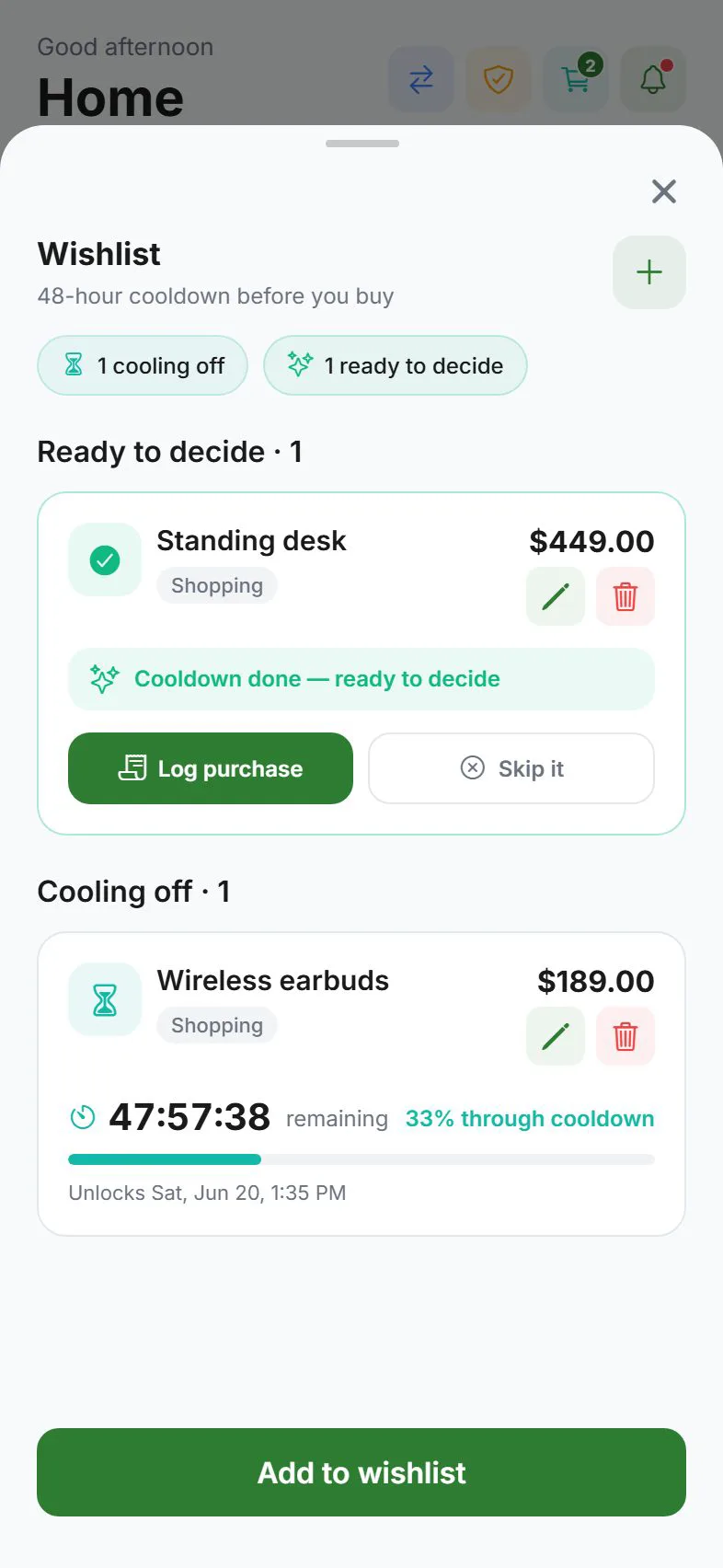
Pause impulse buys with a 48-hour cooling-off period before you log a purchase.
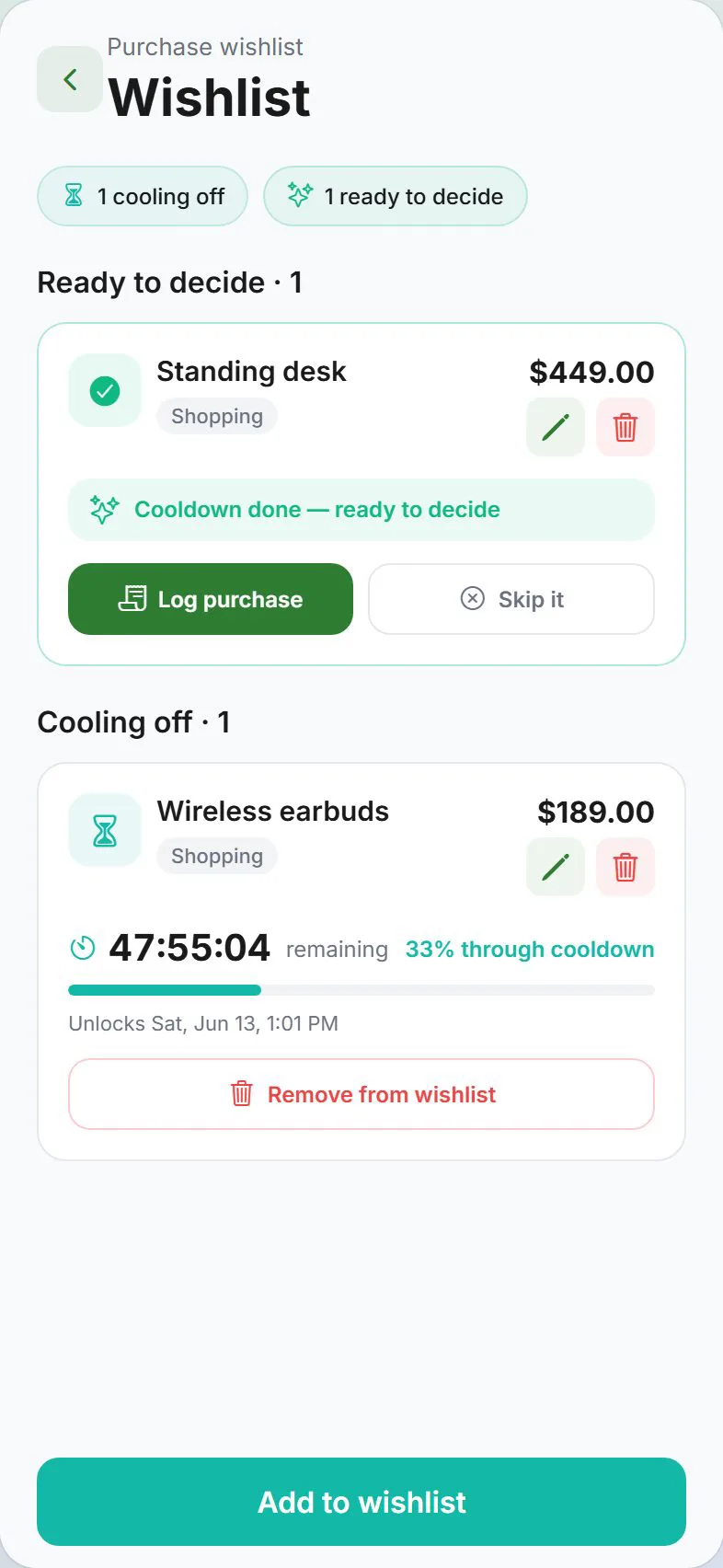
The purchase wishlist helps you wait before buying something you want. Each item sits in a 48-hour cooling-off window. When the timer ends, you decide whether to log the purchase or skip it — with less impulse and a clearer head.
Where to find it
| From | How |
|---|---|
| Settings → Money | Tap Purchase wishlist |
| Dashboard | Banner when one or more items are ready to decide |
Add a wishlist item
- Open the wishlist screen
- Tap Add wishlist item
- Enter a title — what you want to buy
- Set the amount and category (used if you log the purchase later)
- Save
The item moves to Waiting until the 48-hour pause completes. You get a local notification when it unlocks (title like Still want …?).
Waiting vs ready
| Section | Meaning |
|---|---|
| Waiting | Cooling-off in progress — countdown shows time left |
| Ready to decide | Pause finished — time to buy or skip |
Optional: link a savings goal when creating the item if your build supports it.
When an item is ready
| Action | What happens |
|---|---|
| Log purchase | Opens the add-expense sheet with amount, category, and note prefilled — review and save |
| Not buying | Removes the item without creating an expense |
| Edit | Change title, amount, or category |
| Remove | Delete from the wishlist |
Cloud sync
Wishlist items sync when cloud sync is on. With end-to-end encryption, wishlist data is encrypted like other preferences.
Tips
| Goal | Suggestion |
|---|---|
| Curb online shopping | Add the cart total before checkout — wait 48 hours |
| Big purchase | Use a realistic category so logging later is one tap |
| Ignore a reminder | Tap Not buying — no expense is created |
Related guides
Was this guide helpful?