
Settings
Guide section
Settings
Account settings
Sign-in, cloud sync, security PIN, privacy tier, E2EE, storage connections, and account deletion.
The Account tab under Settings controls who you are in the cloud, how data syncs, and your strongest privacy controls—including end-to-end encryption and app lock.
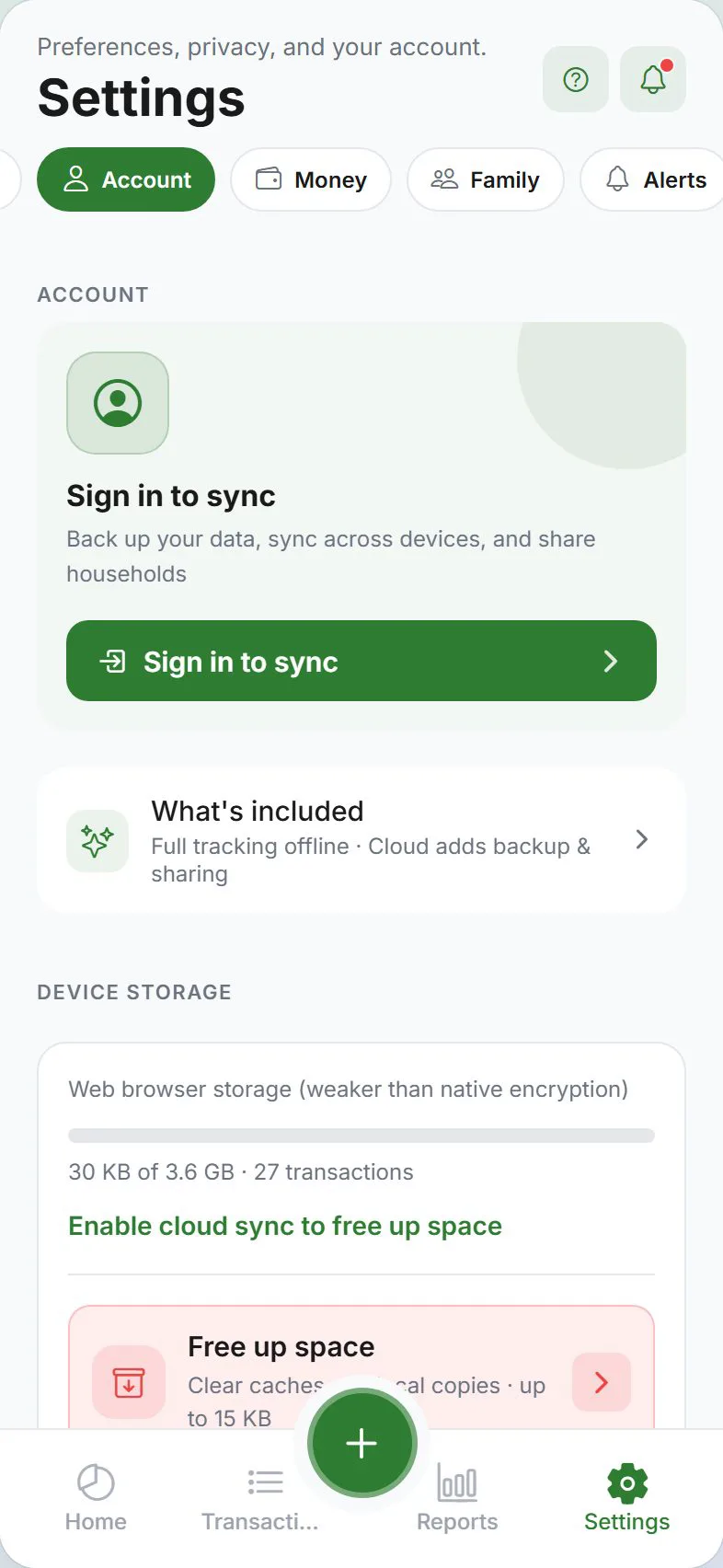
Account section
| Control | What it does |
|---|---|
| Sign in | Google or Apple — required for cloud sync, household, and push |
| Cloud sync | Upload/download data when online — see Account & sync |
| Sync now | Manual refresh; shows progress when large sync runs |
| TRAIL- invite code | Your buddy invite code for splits |
| Delete account | Permanent removal of cloud account — follow warnings |
Guest mode: sign-in row explains you can stay local-only.
Security section
| Control | Guide |
|---|---|
| App lock | PIN and optional biometrics — App lock |
| Lock timeout | How soon the app locks after backgrounding |
| Biometrics | Face ID / fingerprint where supported |
App lock hides the UI; it does not replace E2EE unlock for encrypted fields.
Privacy section
| Control | Guide |
|---|---|
| Privacy tier | Guest vs standard sync vs E2EE overview |
| Privacy checkup | Privacy setup wizard |
| Stealth mode | Mask on-screen amounts — Stealth |
| Screenshot block | Block screenshots on supported platforms |
| Encryption | Enable/disable E2EE, recovery phrase, unlock row when locked |
| LAN sync | Pair devices on same Wi‑Fi — LAN sync |
Encryption subsection
When E2EE is on you will see:
- Recovery phrase — saved or not saved; opens phrase flow
- Unlock encrypted data — when this device is locked
- Complete phrase setup — when account has no escrow
- Enable / Disable E2EE — with data-loss warnings on disable
Storage connections
Connect your own cloud (S3-compatible, WebDAV, Google Drive, Dropbox, iCloud) for attachments and scheduled backups — not the same as Expense Trail sync.
Related guides
Was this guide helpful?