
Settings
Guide section
Settings
Money settings
Wallets, budgets, scheduled entries, savings goals, and purchase wishlist from Settings.
The Money tab groups everything that defines where money lives and how you plan spending—wallets, budgets, recurring bills, goals, and the cooling-off wishlist.
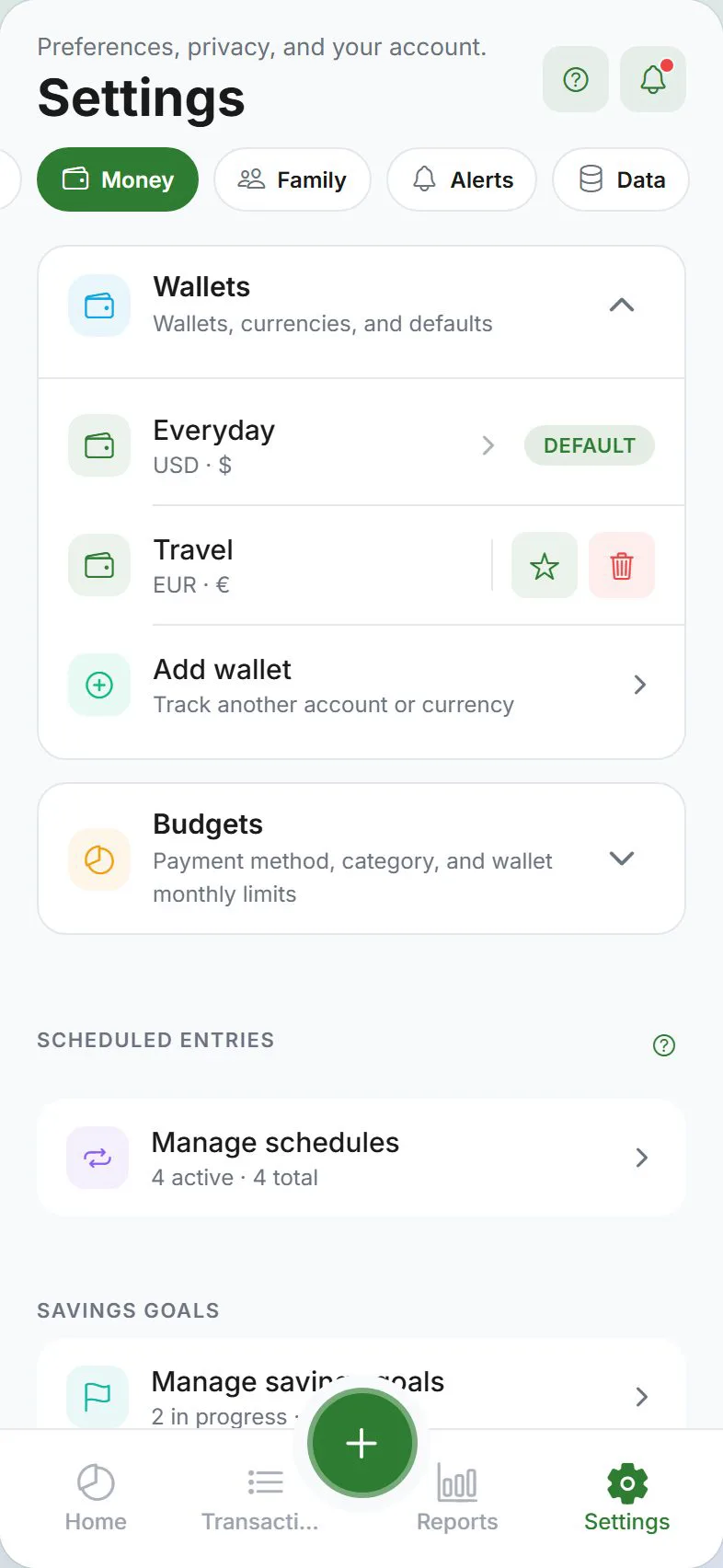
Wallets (expandable)
- Add, rename, reorder, and hide wallets
- Set default wallet for new expenses
- Opening balances and currency per wallet
- Under E2EE, wallet balances sync as encrypted—unlock to see amounts on a new device
Budgets (expandable)
- Category budgets and payment-method budgets
- Thresholds for alerts (Settings → Alerts)
- Rollover options where supported
Scheduled entries
- Manage recurring income, bills, and subscriptions
- Links to Scheduled entries and Bill calendar
Goals
- Create and edit savings goals
- Target amounts and deadlines
- Contributions appear under Transactions → Goals
Purchase wishlist
- 48-hour cooling-off list before you buy
- Cart and notifications when items are ready
E2EE note
Money settings themselves (wallet names, budget caps you type locally) follow your sync mode. Synced financial amounts under E2EE need an unlocked device to display correctly after install.
Related guides
Was this guide helpful?