
Privacy-conscious professional
Stealth, E2EE, and minimal cloud exposure.
Some professionals carry sensitive salary or balance information and want stealth, encryption, and minimal cloud exposure on commute or in open offices. Stealth, E2EE, and minimal cloud exposure. This page is a narrative + checklist for "privacy-conscious professional"—follow the workflow links for step-by-step how-tos.
Who this is for
Some professionals carry sensitive salary or balance information and want stealth, encryption, and minimal cloud exposure on commute or in open offices. If you need bank aggregation or automated tax filing, use specialized tools alongside manual export from Expense Trail.
Goals
- Guest or E2EE tier — set up and review monthly
- Stealth mode in public — set up and review monthly
- App lock enabled — set up and review monthly
- Encrypted export schedule — set up and review monthly
Checklist
- Guest or E2EE tier
- Stealth mode in public
- App lock enabled
- Encrypted export schedule
Example setup
| Setup item | In Expense Trail | Purpose |
|---|---|---|
| Primary | Main wallet | E2EE or guest tier |
| Stealth | App setting | Mask balances in public |
| Lock | App lock | PIN or biometrics |
Workflow
Stealth, E2EE, and minimal cloud exposure
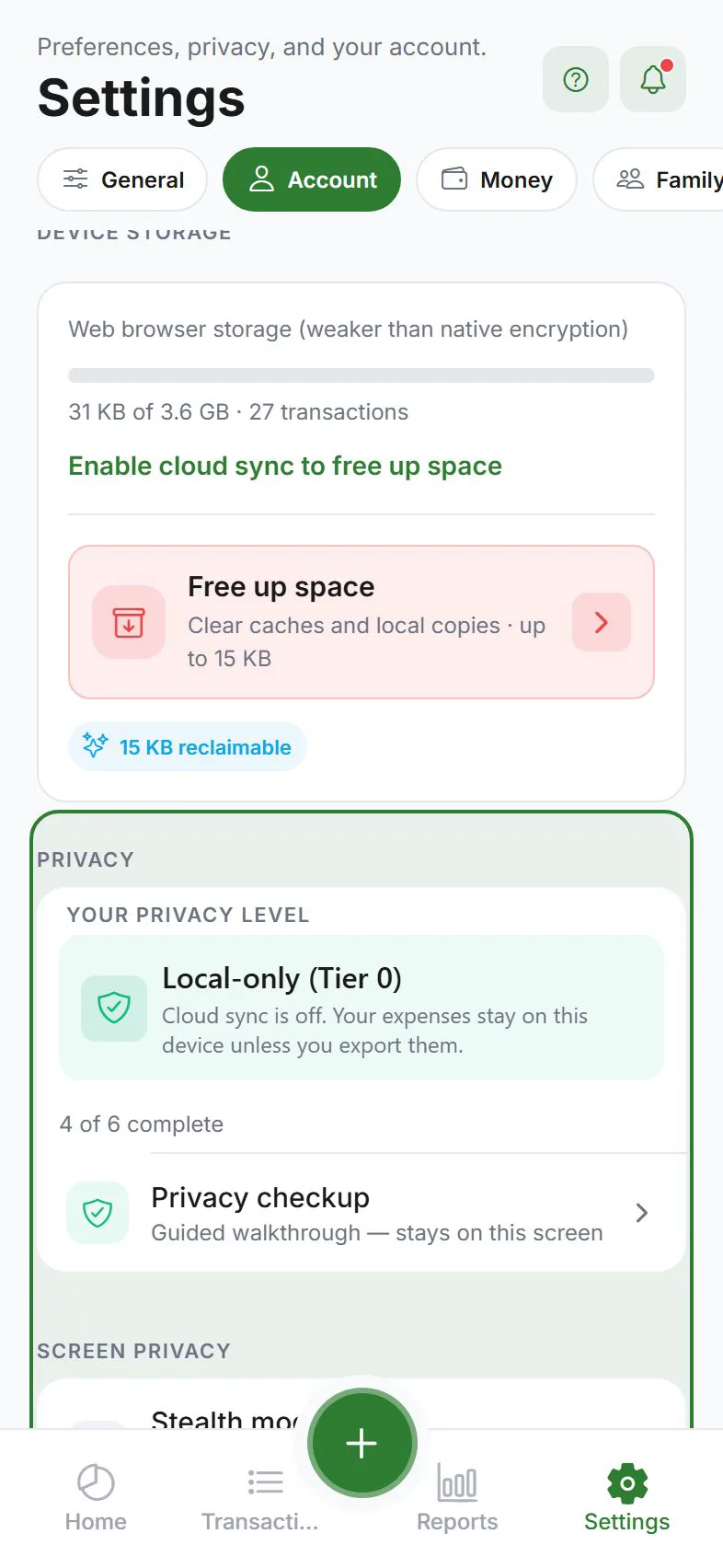
Privacy conscious professional scenarios combine salary sensitivity with travel. Start guest or E2EE; enable stealth on commute; lock the app on shared devices. Read privacy tiers before assuming "encrypted app" means E2EE—standard sync is readable on server for sync operations.
A typical week
Start Monday by confirming guest or e2ee tier. Log daily expenses the same day—especially shared costs before roommates forget who paid. Mid-week, glance at Dashboard budget bars. End the week in Reports to see category totals and adjust caps next month.
When to revisit
- After income changes, a move, or a new roommate/partner
- When IOU balances drift from real-world repayments
- Before export deadlines (tax prep, landlord, accountant)—export is not tax advice
- After major app updates—check Learn hub for refreshed guides
Measuring success
You are done when: Guest or E2EE tier; Stealth mode in public; App lock enabled; Encrypted export schedule; IOU/household balances match real life; and you can answer "where did the money go?" from Reports without opening a spreadsheet.
Why Expense Trail for this scenario
Unlike bank aggregators, Expense Trail does not pull statements—you log what matters and choose privacy tier. Unlike split-only apps, you get wallets, budgets, and goals in the same ledger. For privacy-conscious professional, that means fewer apps, clearer IOUs, and export you control—without ads on core features.
Compared to spreadsheets or split-only apps
Spreadsheets break on mobile and rarely handle IOU settle-up. Split-only apps rarely cap monthly Food or show cash-flow with upcoming bills. Expense Trail combines manual logging, optional household visibility, and encrypted export—honest scope for personal and small-household finance, not corporate accounting.
First 30 minutes
- Install on iOS, Android, or web—guest mode works without an account.
- Create the wallets and categories from the Example setup table (or closest match).
- Complete the first item on the checklist: Guest or E2EE tier.
- Open the first workflow link above and finish one real task today.
- Log one expense or income so Dashboard and Reports are not empty—future you will trust the data.
Honest limits
Expense Trail does not scrape banks, file taxes, or replace a CPA. Attachments are files you store—we do not OCR receipts unless that feature ships. Export and tags help your records; they are not legal or tax advice.
Frequently asked questions
Is Expense Trail a good fit for privacy-conscious professional?
It fits if you want manual control, optional privacy tiers, and budgets/splits in one app—not bank scraping or automated tax filing.
Can I use Expense Trail for free?
Yes—core tracking, budgets, splits, and export are free without ads. See Is Expense Trail really free?.
What does Expense Trail not replace?
Not tax software, investment advice, payroll, or full double-entry accounting. We help you record, budget, and export honestly.
How is this different from a split-only app?
Expense Trail adds wallets, budgets, goals, and optional household visibility—not just IOUs. See split bills vs household.
Which platforms work for privacy-conscious professional?
iOS, Android, and web dashboard—widgets and geofence are mobile-only. Core features are free without ads.