
Nurse and shift worker budget
Budget on guaranteed base pay, track shift differentials separately, and log work expenses year-round.
Nurses and shift workers take home a different amount almost every pay period—base pay, night differential, weekend differential, and occasional overtime all land together. Expense Trail cannot calculate your pay, but it can help you budget on the predictable part and track every extra dollar so you decide where it goes. This page is a narrative + checklist for the nurse or shift worker budget scenario—follow the workflow links for step-by-step how-tos.
Who this is for
Nurses, CNAs, paramedics, factory workers, and anyone whose paycheck swings monthly because of shift differentials, overtime, or on-call pay. If you have a predictable base rate but irregular total income, this workflow gives you a stable budget floor with a clear picture of the extra.
Goals
- Set a monthly budget using base pay only, not projected overtime
- Log shift differential and overtime as separate income categories
- Sweep bonus income to an emergency fund or savings goal automatically in your head
- Track recurring work expenses—scrubs, shoes, license renewals, CEUs—across the year
- Keep union dues as a scheduled recurring entry so they never surprise you
Checklist
- Create an income category for Base Pay
- Create an income category for Shift Differential (night, weekend)
- Create an income category for Overtime
- Set your monthly budget ceiling using base pay only
- Add work expense categories: Scrubs & Uniform, Footwear, Licensing & CEUs, Meals at Work
- Add Union Dues as a scheduled recurring expense
- Decide a sweep rule: overtime goes to Emergency Fund or a named savings goal
Example setup
| Setup item | In Expense Trail | Purpose |
|---|---|---|
| Base Pay | Income category | Budget baseline—never changes |
| Shift Differential | Income category | Night/weekend extra—track monthly total |
| Overtime | Income category | Irregular bonus—sweep to savings |
| Emergency Fund | Savings goal | Destination for overtime sweeps |
| Scrubs & Uniform | Expense category | Annual spend on workwear |
| Licensing & CEUs | Expense category | Annual renewal and education costs |
| Meals at Work | Expense category | Hospital cafeteria or meal prep costs |
| Union Dues | Recurring expense entry | Scheduled so it never surprises you |
Workflow
- Log base pay and shift differential income
- Set a monthly budget on base pay
- Manage budget categories
Budgeting on a variable paycheck
The core rule: budget on base pay only. Set your monthly spending caps—rent, groceries, utilities, transport—so they fit inside what you take home on a zero-overtime month. When differential and overtime arrive, log them in their own income categories, then decide the sweep: emergency fund first, then a named savings goal, then discretionary.
Shift differential is not a windfall—it is earned every month you work nights or weekends. Logging it separately in Expense Trail lets you see the real monthly total and plan around it without baking it into your fixed budget.
Expense Trail is not payroll or tax software. For shift pay calculation, CEU deductibility, or union benefit questions, consult your HR department or a qualified tax professional.
Work expenses worth tracking
Nurses carry real annual costs that are easy to forget until renewal time. Add these as categories and log purchases throughout the year:
- Scrubs & Uniform — replacement sets, logo embroidery, laundry supplies specific to scrubs
- Footwear — nursing clogs and compression socks wear out faster than regular shoes
- Stethoscope & Equipment — replacement or upgrade every few years
- Licensing & CEUs — state license renewal fees, continuing education units, certifications
- Meals at Work — hospital cafeteria charges or meal prep groceries if you cook for shifts
- Union Dues — log as a scheduled recurring expense so it appears in your monthly total automatically
Whether work expenses are tax-deductible depends on your employment situation. Expense Trail records what you spend—it does not determine deductibility. Ask a tax professional.
A typical month
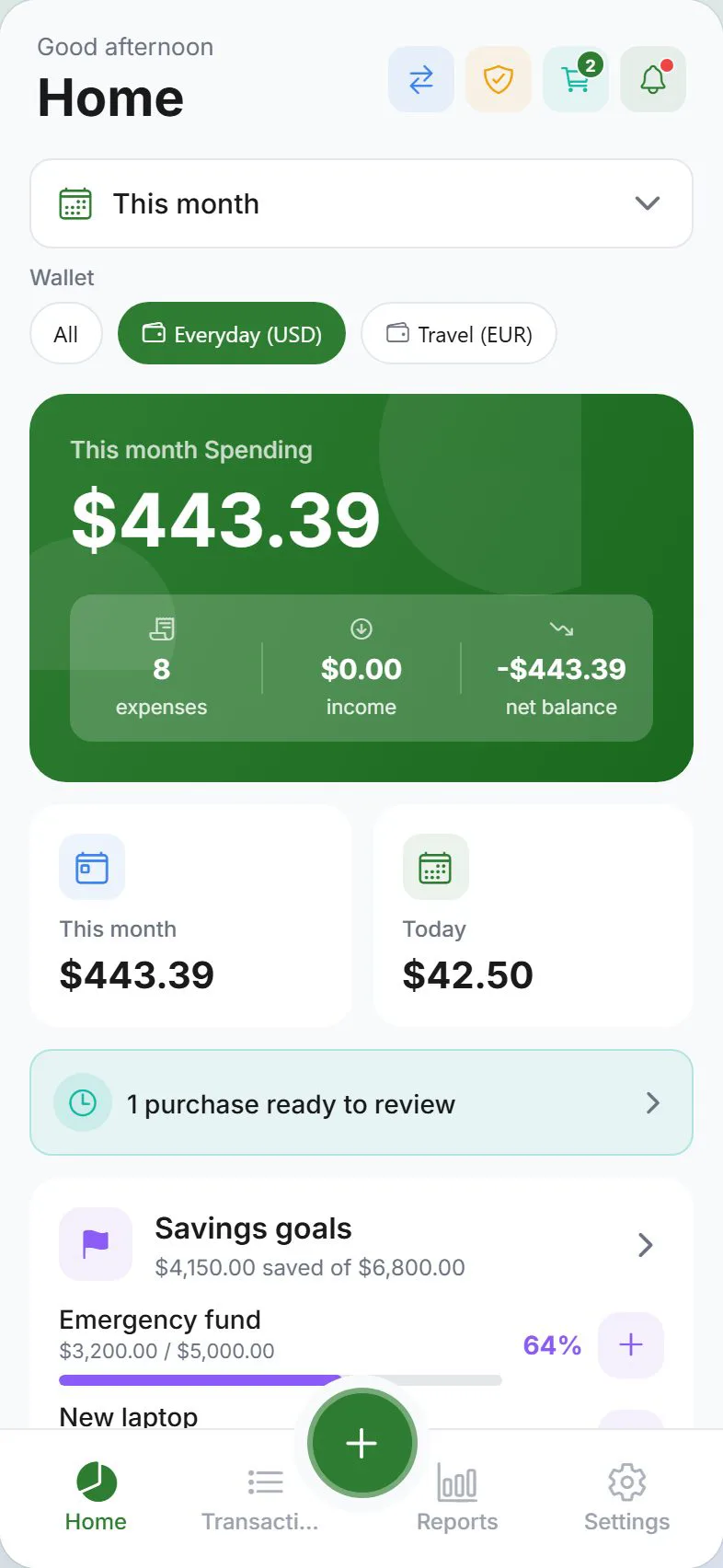
Log each paycheck on payday: one entry for Base Pay, one for Shift Differential, one for Overtime if applicable. Check the Dashboard budget bars mid-month—because your budget is set to base pay, you should be green even before overtime clears. At month end, open Reports, see the Overtime and Differential totals, then move that amount to your Emergency Fund or savings goal as a manual transfer entry.
When to revisit
- After a contract change, raise, or shift schedule change
- When a license or CEU renewal is coming up in the next 90 days
- After union negotiations affect dues or benefit structure
- When your emergency fund hits its target and you want a new savings goal for overtime sweeps
Measuring success
You are done when: your budget never relies on overtime to cover fixed bills; shift differential and overtime totals are visible in Reports each month; work expense categories give you a running annual total; union dues never appear as a surprise; and you can answer "where did last month's overtime go?" from the Dashboard without guessing.
Honest limits
Expense Trail does not calculate shift pay, integrate with hospital payroll, determine CEU deductibility, or track union benefit entitlements. It records what you log and shows it back to you clearly. For payroll questions, contact HR. For tax questions, contact a tax professional.
Frequently asked questions
How do I budget when my income varies $500 or more per month?
Set your budget caps using your guaranteed base pay only—the amount you would receive on a zero-overtime, zero-differential pay period. Log every extra dollar as Shift Differential or Overtime income, but do not raise your budget ceiling based on it. This creates a safety margin: you live within base pay and the extras become savings or debt payoff.
Should I count overtime in my budget?
No. Overtime is irregular by nature—you can be pulled from the schedule, go on leave, or simply have a slow month. If you build overtime into fixed expenses like rent or a car payment, a quiet month becomes a crisis. Log it, celebrate it, sweep it to savings, but do not budget on it.
Can I track work expense reimbursements?
Yes. Log the original expense in your work expense category, then log any reimbursement as a separate income entry in a Reimbursements category. This keeps your spending record accurate and lets you see at a glance if a reimbursement is still outstanding.
How do I handle a shift differential that varies each month?
Log it as income each pay period with the exact amount. Over time, Reports will show you your average monthly differential so you can make informed decisions—but keep it out of your budget baseline until you have six months of data and the variation is small.
Can I set a savings goal for overtime income in Expense Trail?
Yes. Create a savings goal—for example, Emergency Fund or Travel Fund—and each month manually log a transfer entry from your Overtime income to that goal. The goal tracker shows progress over time.