
Retiree on fixed income
Pension and Social Security as scheduled income, healthcare budgets, and fixed vs variable spending visibility.
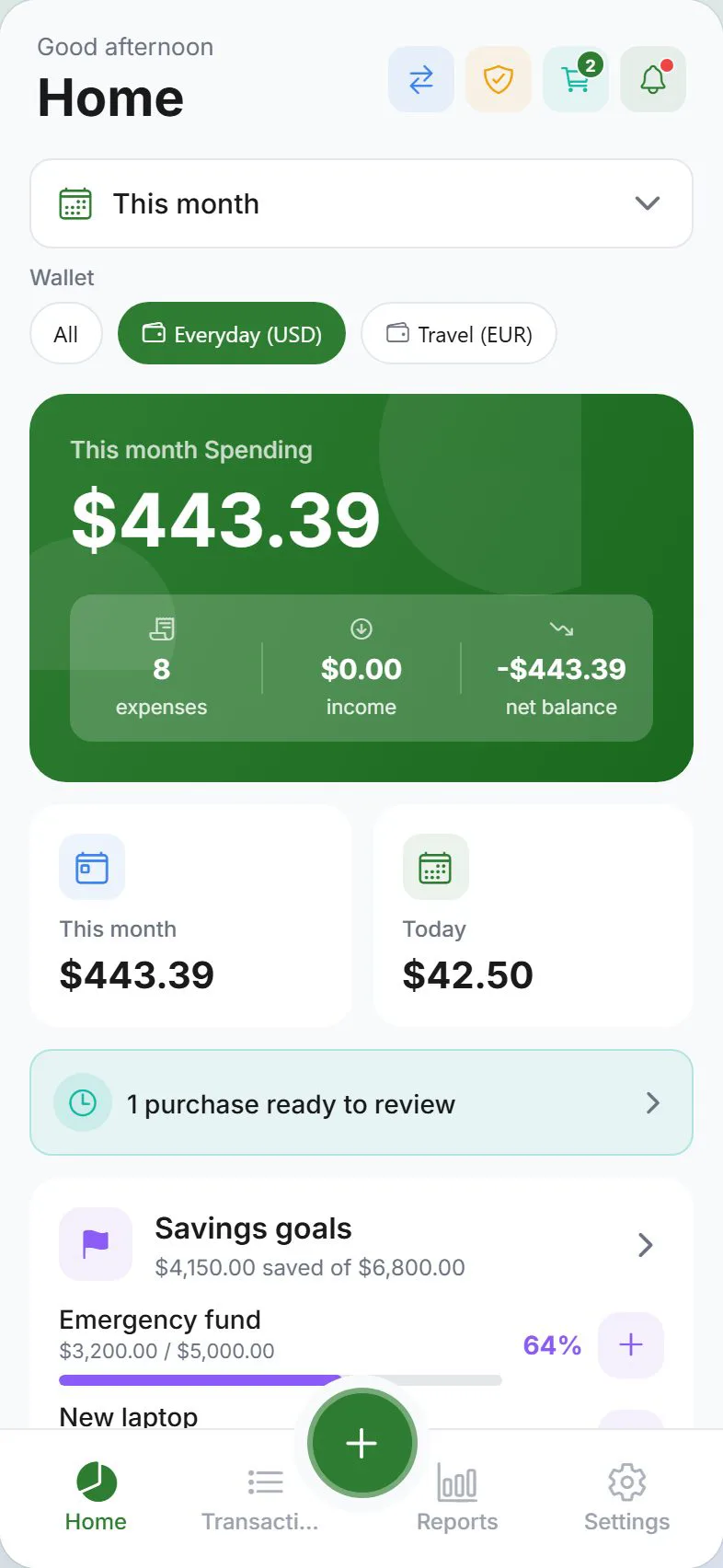
Retirement income is predictable but the expenses that matter most—Medicare premiums, prescriptions, and co-pays—can spike without warning. Expense Trail gives you a simple manual ledger to record pension and Social Security deposits, set healthcare category budgets, and see at a glance whether fixed costs are crowding out discretionary spending. This page is a narrative + checklist for "retiree on fixed income"—follow the workflow links for step-by-step how-tos.
Who this is for
Retirees living primarily on pension income, Social Security, or both who want a clear monthly picture of where money goes—especially healthcare. If you need investment portfolio tracking, RMD calculators, or tax-filing tools, pair those with Expense Trail's manual ledger rather than replacing them.
Goals
- Log pension and Social Security as recurring monthly income — review each month
- Budget healthcare categories (Medicare premiums, prescriptions, co-pays) — monitor for spikes
- Distinguish fixed from variable expenses at a glance — adjust caps each quarter
- Keep setup simple with one or two wallets — avoid unnecessary complexity
Checklist
- Create a Checking wallet for pension and Social Security deposits
- Add a monthly income entry for each fixed payment source
- Create healthcare sub-categories: Medicare Premium, Prescriptions, Co-pays
- Set a monthly budget alert on the Healthcare category
- Log at least one fixed expense (rent/mortgage, utilities) so Reports are not empty
- Review budget bars on Dashboard at mid-month
Example setup
| Setup item | In Expense Trail | Purpose |
|---|---|---|
| Checking account | Checking wallet | Pension + Social Security deposits |
| Healthcare budget | Budget on Healthcare category | Alert when premiums or prescriptions spike |
| Medicare Premium | Sub-category of Healthcare | Fixed monthly cost, easy to isolate |
| Prescriptions | Sub-category of Healthcare | Variable—quantity and price change |
| Co-pays | Sub-category of Healthcare | Per-visit cost, often overlooked |
| Savings (optional) | Savings wallet | Emergency fund or annual expense reserve |
Workflow
Expense Trail is a personal finance tracker, not a financial advisor. It does not give advice on Social Security claiming strategy, Required Minimum Distributions (RMDs), Medicare plan selection, or tax planning. Consult a licensed financial advisor or benefits counselor for those decisions.
Fixed vs variable at a glance
Retirees search retiree budget fixed income when spreadsheets become hard to maintain and bank statements bury healthcare costs inside long transaction lists. In Expense Trail, log each predictable cost (rent, Medicare Part B premium, phone) in a Fixed Expenses category and each month-to-month cost (groceries, co-pays, prescriptions) in separate variable categories. Dashboard budget bars then show which bucket is being consumed—without any bank connection required.
A typical month
Log pension and Social Security deposits on the day they arrive. Record fixed bills (utilities, insurance) as they clear. Mid-month, open Dashboard and check the Healthcare budget bar—if prescriptions refilled or a specialist visit occurred, the bar reflects it before you are surprised at month-end. At month close, open Reports to compare actual healthcare spend against your budget cap and adjust next month's limit if needed.
When to revisit
- When Medicare Part B or Part D premiums change each January
- After a new prescription is added or dosage changes affect cost
- When annual expenses (property tax, insurance renewal) arrive—log them as one-time entries
- After any major health event that changes your typical monthly co-pay pattern
Honest limits
Expense Trail does not connect to banks, import Medicare Explanation of Benefits documents, or track investment accounts. You log transactions manually. It does not give tax advice, calculate RMDs, or compare Medicare plan options. Use it alongside—not instead of—your benefits counselor or financial advisor.
First 30 minutes
- Install on iOS, Android, or web—guest mode works without an account.
- Create a Checking wallet and a Savings wallet (if applicable) from the Example setup table.
- Add income entries for pension and Social Security with this month's amounts.
- Create the Healthcare category with Medicare Premium, Prescriptions, and Co-pays as sub-categories.
- Set a monthly budget on Healthcare—start with last month's actual total as the cap.
- Log one or two fixed expenses so Dashboard and Reports are not empty.
Measuring success
You are done when: pension and Social Security are logged as recurring income; Healthcare has a budget with sub-categories; fixed vs variable expenses appear in separate categories; Dashboard budget bars show remaining headroom; and you can answer "how much did healthcare cost last month?" from Reports without opening a spreadsheet.
Frequently asked questions
Is Expense Trail easy to use for someone not tech-savvy?
Yes. The core workflow is: tap Add, choose income or expense, pick a category, enter the amount. There is no bank linking to configure, no sync to troubleshoot. Guest mode means you can try it without creating an account first.
Can I track Medicare premiums and prescription costs separately?
Yes. Create sub-categories inside a Healthcare parent category—for example Medicare Premium, Prescriptions, and Co-pays. Each appears as its own line in Reports so you can see which cost is growing month to month.
Is Expense Trail free?
Core tracking, budgets, and Reports are free without ads. See Is Expense Trail really free? for the full breakdown of what is free and what is in premium tiers.
Can Expense Trail tell me when to claim Social Security or take RMDs?
No. Expense Trail records what you receive and spend—it does not give benefit timing advice, tax guidance, or investment recommendations. Consult a licensed financial advisor or Social Security benefits counselor for those decisions.
What if my income changes mid-year (COLA adjustment, pension change)?
Simply log the new amount when it arrives. You can update your recurring income entry to reflect the new deposit going forward. Reports will show both the old and new amounts in the months they occurred.