
Stay-at-home parent tracking household finances
Household wallet for shared spend, personal allowance wallet for autonomy, and optional partner visibility.
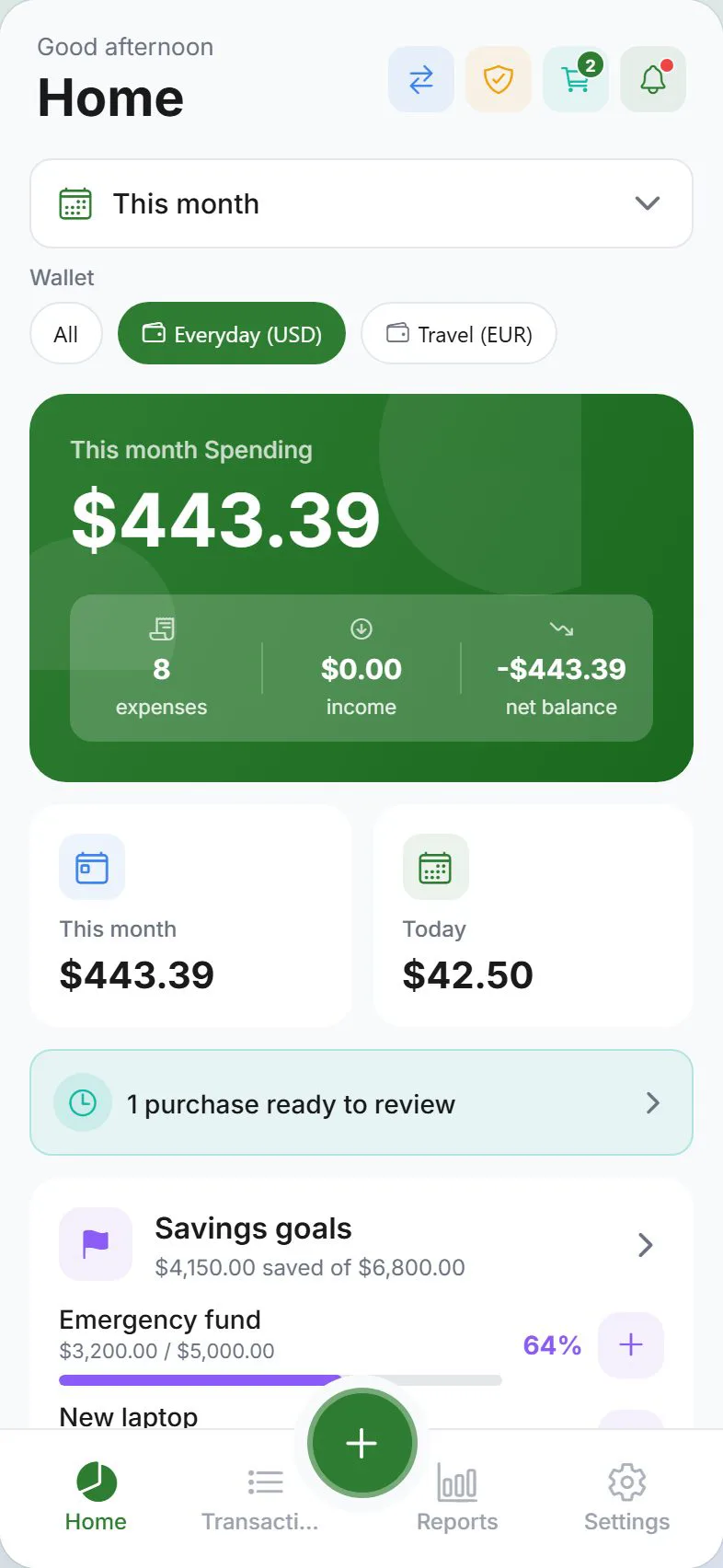
Managing a household on one income means tracking every grocery run, school fee, and utility bill—while keeping a slice of the budget that is yours without justification. Expense Trail gives you a household wallet for shared spend and a personal allowance wallet for discretionary purchases, with optional visibility so your partner sees only what you choose to share.
Who this is for
Stay-at-home parents who manage day-to-day household spending, log shared expenses like groceries, utilities, and childcare, and want a personal allowance tracked separately. If you need automated bank imports or investment tracking, those require specialized tools—Expense Trail covers manual logging, budgets, and optional household sharing.
Goals
- Household wallet for shared spend (groceries, utilities, school fees)
- Personal allowance wallet for discretionary spend without scrutiny
- Budget caps on Groceries, Childcare, and Clothing categories
- Log household allowance transfers as income
- Optional sharing so your partner sees the household wallet
Checklist
- Create a Household wallet for shared expenses
- Create a Personal wallet for your allowance
- Set a budget on Groceries, Childcare, and Clothing
- Log the monthly household allowance transfer as income in the Household wallet
- Decide whether to enable household sharing for the Household wallet
- Review Dashboard budget bars weekly and adjust caps monthly
Example setup
| Setup item | In Expense Trail | Purpose |
|---|---|---|
| Household wallet | Shared wallet (groceries, utilities, school) | Tracks all shared family spend |
| Personal wallet | Your allowance only | Discretionary—partner does not see this |
| Groceries budget | Category budget, monthly cap | Flags overspend before the week ends |
| Childcare budget | Category budget, monthly cap | Daycare, activities, school fees |
| Clothing budget | Category budget, monthly cap | Kids and adult clothing combined |
| Household allowance | Income entry in Household wallet | Records the transfer your partner makes |
Your personal wallet is yours alone. Household sharing, when enabled, shows only the wallets you explicitly include—your personal allowance wallet stays private by default.
Workflow
A typical week
Log grocery receipts the same day—small amounts add up fast. Mid-week, open Dashboard and check the Groceries and Childcare budget bars. If Groceries is tracking over, adjust the week's meal plan before the bar turns red. End of the month, log the household allowance transfer as income in the Household wallet, then review Reports to see where money actually went versus the plan.
When to revisit
- When the household allowance changes (new amount, new schedule)
- When childcare costs shift—new daycare, school year starts, activities added
- After a large one-off spend (school uniform run, appliance replacement)
- When your partner wants more or less visibility into shared spend
Measuring success
You are done when: the Household wallet reflects every shared expense logged; budget bars on Groceries, Childcare, and Clothing match real caps; the monthly allowance transfer appears as income; and you can open Reports and answer "where did the household budget go?" without guessing.
Expense Trail does not pull bank statements or sync with your partner's bank. Both wallets rely on manual logging. The household sharing feature controls visibility inside the app—it is not a linked bank account.
Frequently asked questions
Can my partner see my personal spending?
Only if you include your personal wallet in household sharing. By default the personal wallet is visible to you alone. Your partner sees only the wallets you explicitly share.
How do I log income if I do not earn a salary?
Log the monthly household allowance transfer your partner makes as an income entry in the Household wallet. Set the category to something clear like "Household Transfer." Expense Trail does not connect to bank accounts—you enter the amount manually each time it arrives.
Can I track household and personal spend completely separately?
Yes. Create two wallets—one for household, one for yourself—and never enable sharing on the personal wallet. The Dashboard and Reports let you filter by wallet so you see each ledger independently.
What if my partner also uses Expense Trail?
You can invite your partner to the household and share the Household wallet. Each person logs their own entries. Your Personal wallet remains separate regardless of household membership.
Does Expense Trail do tax reporting or childcare credit tracking?
No. Expense Trail records what you log and lets you export CSV data. It does not calculate tax credits, file returns, or provide financial advice. Use a tax professional for childcare credit claims.
How many budget categories can I set?
You can create a budget for any category you use. Start with Groceries, Childcare, and Clothing—add more as your tracking matures.