
Empty nester budget reallocation
Redirect freed childcare and family spend toward savings goals after kids leave home.
When kids move out, hundreds of dollars in monthly spend suddenly disappears from the budget—but the money does not automatically land somewhere useful. Empty nester budget reallocation is the deliberate step of finding what freed up, cancelling what no longer fits, and routing the surplus toward retirement, travel, or other goals. This page is a narrative + checklist for that transition—follow the workflow links for step-by-step how-tos.
Who this is for
Parents whose last child has recently moved out (or is about to), and who want a clear picture of where the household budget stood before and where it should go next. If you are still contributing to a student's college costs, this guide covers logging that as a scheduled entry too.
Expense Trail helps you see where money was going and where to redirect it. It is not a financial planner or investment adviser—decisions about retirement accounts, insurance products, or tuition payments belong with a qualified professional.
Goals
- Run a subscription audit and downsize or cancel family plans
- Recalculate grocery and utility budgets for a two-person household
- Redirect freed childcare and school expenses to a retirement or travel goal
- Update wallet categories to remove kids-specific entries and add new priorities
- Log ongoing college support as a scheduled entry if still applicable
Checklist
- Export last three months of transactions and identify kids-related categories
- Run subscription audit—cancel or downsize family streaming, app, and phone plans
- Reset grocery budget cap for two people
- Review utility budgets if children took devices or moved out of high-usage rooms
- Create a Retirement Boost or Travel Fund goal in Expense Trail
- Set a recurring transfer entry routing freed funds to the new goal
- Remove outdated wallet categories (school supplies, childcare, kids activities)
- Add replacement categories (travel, hobbies, home projects)
- Add a scheduled entry for any ongoing college contribution
- Review insurance and phone plan entries and update budget caps accordingly
Example setup
| Budget category | Before (family) | After (two people) | Freed amount |
|---|---|---|---|
| Groceries | $900 / mo | $550 / mo | ~$350 |
| Streaming & apps | $80 / mo (family plans) | $40 / mo (downgraded) | ~$40 |
| Phone plan | $160 / mo (4 lines) | $80 / mo (2 lines) | ~$80 |
| Childcare / school | $400 / mo | $0 | ~$400 |
| Utilities | $220 / mo | $180 / mo | ~$40 |
| Total freed | ~$910 / mo |
The freed amount in your own data will differ—use Reports in Expense Trail to find the real numbers.
Workflow
Redirecting the freed spend
Searching empty nester budget reallocation usually means one thing: the money existed but was invisible inside family overhead. Expense Trail's Reports tab lets you filter by category and date range—pull the last six months, sort by category, and highlight everything tagged to kids. That number is your reallocation pool.
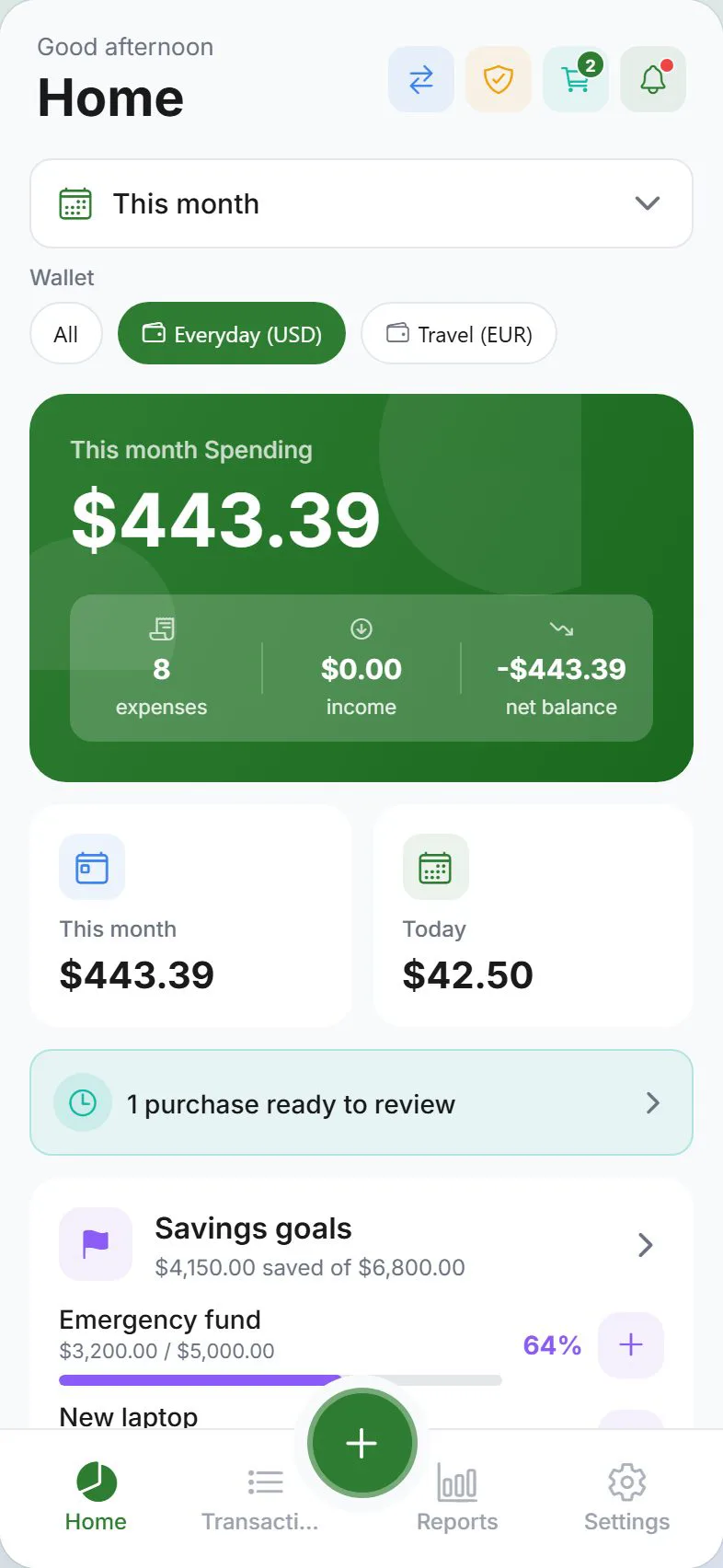
Create a goal (Retirement Boost, Travel Fund, Home Renovation) and set its monthly contribution to match as much of that pool as your revised fixed costs allow. Log contributions as expenses against the goal wallet so the dashboard reflects real progress.
Do not cancel shared phone lines or streaming plans mid-cycle without confirming with your child—some family plans cover a student who still depends on them. Verify before you downgrade.
A typical first month after kids leave
Week one: run Reports for the past three months and note every kids-related category total. Week two: contact carriers to downgrade phone and streaming plans; update budget caps in Expense Trail to match new amounts. Week three: create the new goal and set a recurring scheduled entry for the contribution. Week four: review Dashboard budget bars—any category still over the new cap is a candidate for further trimming.
When to revisit
- When a child returns home temporarily (summer, post-graduation)
- After insurance renewal—home, auto, and health policies may all change
- Before booking a major trip or home project—confirm the travel fund goal balance
- After any income change—pension, Social Security start date, part-time shift
Honest limits
Expense Trail does not link to bank accounts, automate transfers, or provide investment or insurance advice. Freed budget is tracked manually—you log the redirected amount as a contribution to a goal wallet. For retirement account optimisation or tuition payment strategies, consult a financial adviser.
Frequently asked questions
How do I reset my budget after kids move out?
Go to Budgets, open each category, and lower the cap to match your revised two-person spend. Delete categories that no longer apply (school supplies, childcare) and add new ones (travel, hobbies). Use the past three months in Reports to pick realistic new caps rather than guessing.
Which subscriptions should I cut first?
Start with multi-seat or family-tier plans: streaming services, cloud storage, music apps, and phone lines. In Expense Trail, filter the last three months by the Subscriptions category and list every recurring charge—then cross-reference with what you actually use as a household of two.
How do I redirect freed savings to retirement in Expense Trail?
Create a goal called "Retirement Boost" (or similar) and set a monthly target. Each month, log a manual entry from your main wallet to the goal wallet for the contributed amount. The goal progress bar on the Dashboard reflects cumulative contributions over time.
What if I am still paying college costs for a student?
Add a scheduled entry under a "College Support" category so it appears in your monthly budget and Reports. This keeps the payment visible and prevents it from hiding inside a vague transfer. Adjust or remove the entry when support ends.
Should I remove kids' categories straight away?
Archive rather than delete if you want to keep historical data clean. Expense Trail lets you stop using a category without erasing past transactions tagged to it—your pre-move-out Reports remain accurate while the category no longer appears in new budget views.
Does Expense Trail handle two-person household splits?
Yes—you can use wallets and split entries to track shared household expenses between two adults. See budgets for setting shared caps and goals for joint saving targets.