
Single parent budget tracker
Childcare wallet, child support as irregular income, and an emergency fund goal on one income.
Managing one income for two lives — yours and your child's — means every dollar needs a job. Childcare, school fees, summer camp, unpredictable child support, and the pressure of being the only safety net make a clear budget non-negotiable. This page is a narrative + checklist for single-parent budgeting — follow the workflow links for step-by-step how-tos.
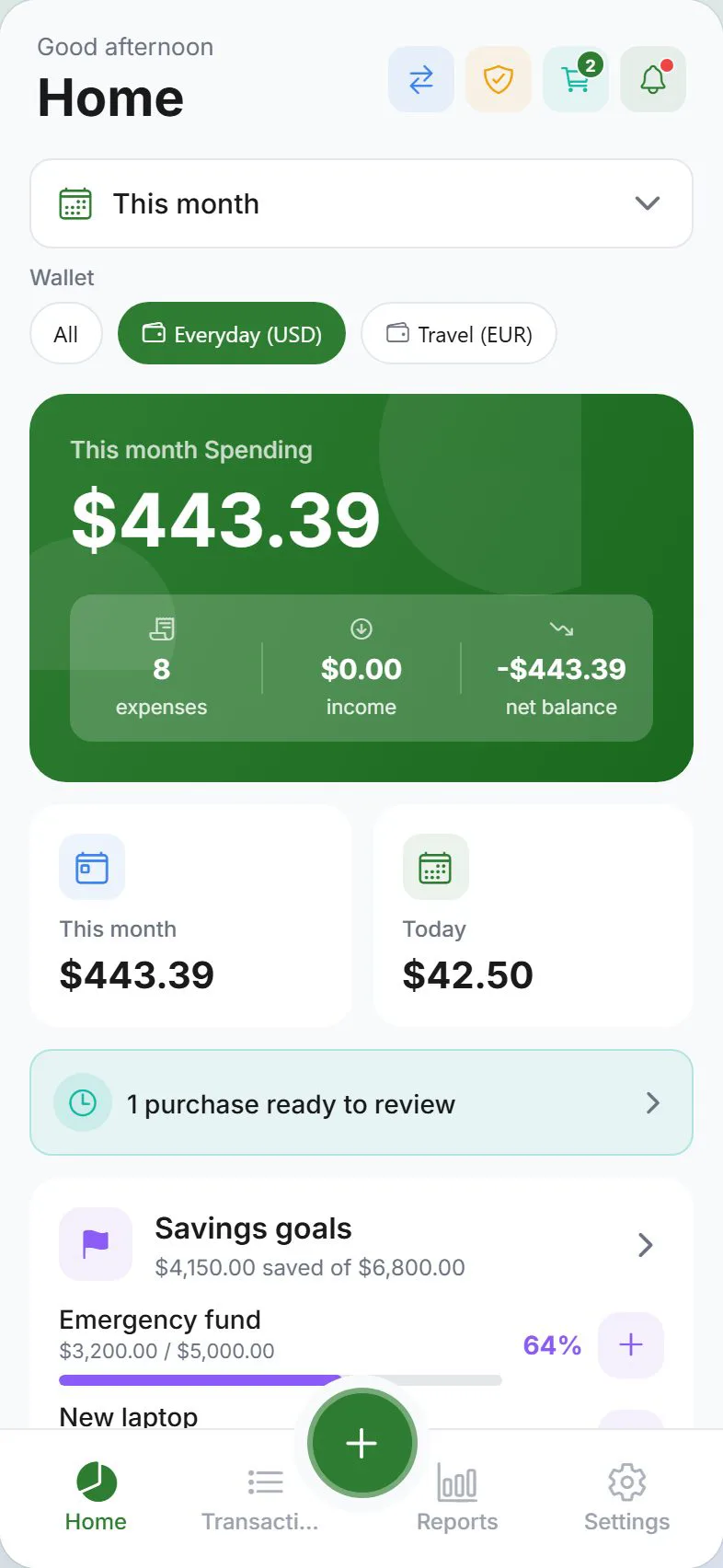
Who this is for
Single parents who carry all household expenses on one income, may receive irregular child support, and need tight visibility into childcare costs alongside everyday spending. If you need automated bank feeds or co-parent bill splitting, Expense Trail does not do that — but you can log shared costs manually and use guest mode for full local privacy.
Goals
- Childcare wallet for daycare, after-school programs, and summer camp
- Child support logged as an irregular income category so you know when it arrives
- Emergency fund savings goal — single income makes this critical
- Budget alerts on Food, Childcare, and Utilities so you catch overruns early
Checklist
- Create a Childcare wallet and add recurring fees
- Add "Child Support" as an income category and log each payment
- Set an Emergency Fund savings goal with a monthly contribution target
- Set budget alerts on Food, Childcare, and Utilities
- Review the Dashboard weekly — adjust caps when school terms change
- Enable guest mode if you share a device and want local-only privacy
Example setup
| Setup item | In Expense Trail | Purpose |
|---|---|---|
| Childcare wallet | Dedicated wallet | Daycare, after-school, summer camp fees |
| Child support | Income category (irregular) | Track arrival and amount each period |
| Emergency fund | Savings goal | Target 3–6 months of expenses; one income = higher priority |
| Food budget alert | Budget with alert | Catch grocery and dining overruns before month-end |
| Utilities budget alert | Budget with alert | Prevents surprise shortfalls on fixed-cost months |
Irregular income without false confidence
Child support arrives on its own schedule — or not at all. Log it as an income entry under a dedicated category each time it lands rather than assuming it in your monthly plan. Your baseline budget should work on your employment income alone; child support then becomes a positive surprise you can direct to savings or childcare catch-up. See set a monthly budget for how to build that baseline.
Child support amounts and schedules vary by court order and change over time. Expense Trail records what you log — it does not calculate, enforce, or provide legal advice about support obligations. Consult a family law professional for legal questions.
Emergency fund — why it matters more here
A single income means no partner income to fall back on if you face a job gap, medical bill, or major repair. Set a savings goal in Expense Trail with a realistic monthly contribution (even a small, consistent amount matters). The goal tracker shows your progress toward a target balance so you can see momentum. See money management goals.
Budget alerts for early warnings
Set alerts on at least three categories: Food, Childcare, and Utilities. When a category hits your threshold, Expense Trail notifies you before you overspend — giving you days to adjust rather than discovering the problem at month-end. See set budget alerts.
Privacy with guest mode
If you share a phone or tablet with your child or a co-parent and want your finances to stay local-only, enable guest mode. Your data never leaves the device in this mode. You can always upgrade to a full account later — no re-entry required for existing local data.
Guest mode is a good default when you are first testing Expense Trail on a shared device. Full end-to-end encryption is available on cloud accounts for additional protection.
When to revisit your setup
- When school terms change and childcare fees shift (new semester, summer camp start/end)
- After any change to your child support order or payment schedule
- When you reach an emergency fund milestone — raise the target
- After a pay rise or job change — recalibrate budget caps and savings contribution
Honest limits
Expense Trail does not aggregate bank accounts, calculate child support, provide tax or legal advice, or automatically split costs with a co-parent. You log manually; Expense Trail tracks, alerts, and reports on what you log.
Frequently asked questions
Can I share my budget with my co-parent?
Not in real time — Expense Trail does not have a shared household mode for two separate accounts. You can each use the app independently and compare notes, or one parent can log all shared child costs in a dedicated wallet. See shared custody expenses for patterns that work without live sharing.
Is end-to-end encryption important for single-parent finances?
Yes, if you store sensitive information like child support amounts or custody-related costs. Cloud accounts in Expense Trail use E2EE so your data is encrypted on-device before syncing — not readable by the server. If maximum local privacy is your priority, use guest mode instead.
Can I use Expense Trail fully offline?
Yes. Guest mode stores everything on-device with no account required. You can log expenses, set budgets, and review reports without an internet connection. Cloud sync is optional.
How do I handle months when child support does not arrive?
Because your baseline budget should already work on your employment income alone, a missed payment affects only the categories you had earmarked for that extra income. Log a zero-amount note or skip the income entry for the month — your budget caps remain unchanged.
Can I track one-off school costs like uniforms or trips?
Yes — log them as expenses in your Childcare wallet (or a School Costs sub-category) with a note. They will appear in monthly reports so you can anticipate the same costs next year.