
How to pause impulse buys with a wishlist
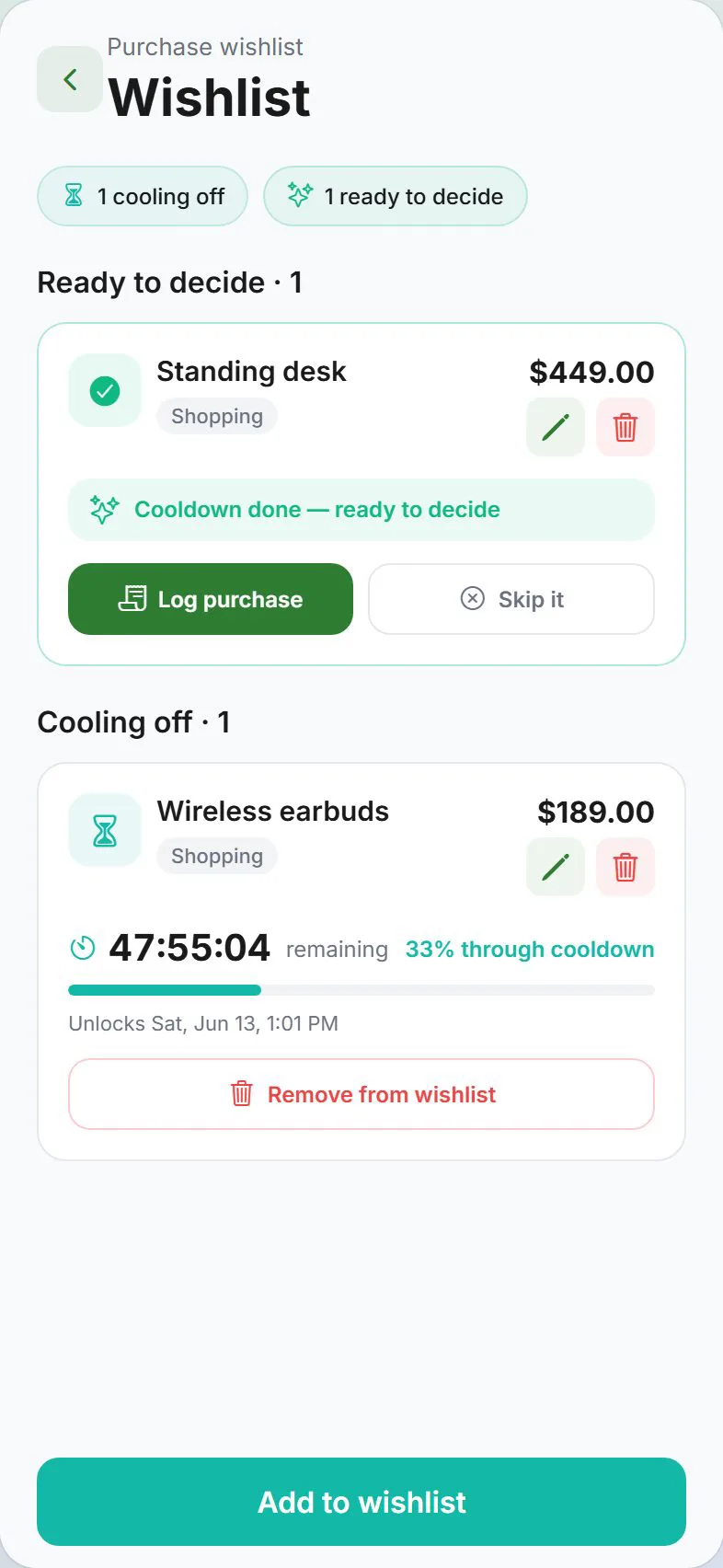
48-hour cooling-off on wishlist items.
48-hour cooling-off on wishlist items. In short: Expense Trail helps you impulse spending wishlist with manual logging on iOS, Android, and web—no bank linking, no ads on core features. Follow the steps below, then use the product docs for screen-by-screen detail.
Before you start
Create wallets and categories before caps. Read how budgets work with wallets if category vs payment-method scope is unclear.
Steps
List the categories or cards you want to cap this month.
You should see: You know which reports you check most often.
Settings → Money → Budgets → Add budget and pick scope (category or payment method).
You should see: Budget form shows amount and period.
Set the monthly cap; enable rollover only for lumpy categories.
You should see: Progress bar appears on Dashboard when logging.
Enable budget alerts at 80–90%.
You should see: Notification fires before you hit 100%.
Log expenses normally—budget counts manual entries only.
You should see: Reports show spend vs cap weekly.
Common mistakes
- Budget without categories — Category budgets need real categories, not wallet names.
- Only checking category budget while card maxes out — Add a payment-method budget if card limits matter.
- Forgetting alerts — Set budget alerts at 80–90% so caps are useful.
Why this approach works
Monthly caps only work when they match how you actually spend—by category (Food, Transport) or by payment method (a specific card). Manual logging means the budget bar moves when you log, which keeps you honest without bank scraping. 48-hour cooling-off on wishlist items.
Quick answer (impulse spending wishlist)
48-hour cooling-off on wishlist items. Use Expense Trail on iOS, Android, or web; core features are free without ads. You log each line manually—there is no bank feed to reconcile later.
Featured-snippet style: 48-hour cooling-off on wishlist items. Expense Trail uses manual entry—add wallets and categories, follow the steps above, and review Reports weekly. No bank linking; guest mode works without an account.
Tips that stick
- Set default wallet and default category under Settings so repeat logging takes seconds.
- Log the expense the same day—memory fades and group splits get disputed.
- Once per week, open Reports and scan for empty days or categories over 80% of budget.
- Link related tasks in Learn hub instead of duplicating long product docs here.
Troubleshooting
- Totals look wrong — Search Transactions for duplicates, wrong dates, or expenses logged instead of transfers.
- Feature missing on web vs mobile — Some platform tools (widgets, geofence) are mobile-only; see platform guides.
- Still stuck — Open the product doc linked below for screen-by-screen paths; concept pages explain why wallets, categories, and budgets differ.
Related concepts
Wishlist cooling-off
Impulse spending wishlist adds a 48-hour pause before you buy. Put the item on the wishlist with price and category; if you still want it after cooling-off, convert to an expense. Pair with a Dining or Shopping category budget so discretionary caps stay visible on Dashboard.
Keep scope small
This pause impulse buys with a wishlist page targets medium-competition queries—complete the steps once, then refine wallets and categories over your first month. Start with one wallet and one category, complete the steps above, then refine labels in Settings when patterns appear. Revisit Learn hub for concept pages if wallet vs category vs budget still feels unclear—they prevent the most common setup mistakes.
Frequently asked questions
Pause impulse buys with a wishlist—do I need an account?
Guest mode works for local-only tracking. Sign in with Google or Apple if you need cloud sync, household, or push alerts. See use without an account.
Does Expense Trail link to my bank?
No. Expense Trail is manual entry only. You log amounts you choose; we do not pull bank transactions.
What if something looks wrong after I finish?
Check Transactions for duplicate or backdated lines. For wallet totals, use balance adjustments rather than fake expenses.
How does this compare to bank-linked apps?
Bank apps auto-import transactions but miscategorize and require credentials. Expense Trail is manual—you log on your terms. Better accuracy for people who care about splits, budgets, and privacy tiers.
Is this financial advice?
No—this guide explains product setup only. For tax, legal, or investment decisions, consult a qualified professional.